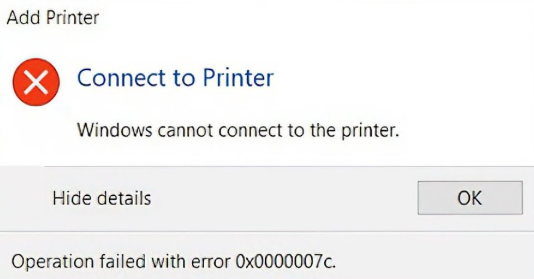
Windows error dialog showing error 0x0000007c — The operation could not be completed

How to Fix Shared Printer Error 0x0000007c on Windows 10 and 11

How to Fix Shared Printer Error 0x0000007c on Windows 10 and 11 Error 0x0000007c — “The operation could not be completed” — is a common shared printer error on Windows 10 and Windows 11. It occurs when the client PC connects to a LAN shared printer and Windows fails to load the remote printer driver. This is a driver compatibility and SMB protocol issue, not a hardware failure or network outage. This guide explains every cause and walks through each fix in order. ...
May 30, 2026 · 6 min · Printer Help
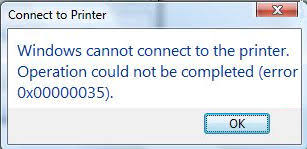
Windows error dialog showing error 0x00000035 — The network path was not found

How to Fix Shared Printer Error 0x00000035 on Windows 10 and 11

How to Fix Shared Printer Error 0x00000035 on Windows 10 and 11 Error 0x00000035 — “The network path was not found” — is one of the most common shared printer errors on Windows 10 and Windows 11. Unlike other printer errors that are caused by a single setting, error 0x00000035 can have multiple root causes, which makes it harder to diagnose. This guide walks through every cause and its fix in a logical order so you can resolve the issue as quickly as possible. ...

May 28, 2026 · 5 min · Printer Help
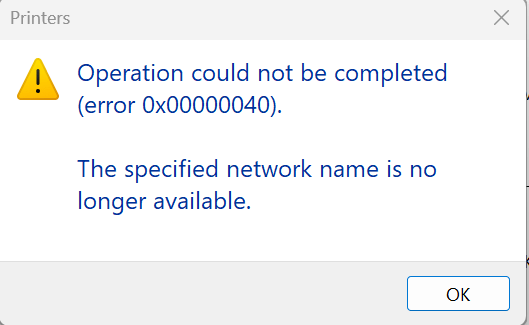
Windows error dialog showing error 0x00000040 — The specified network name is no longer available

How to Fix Shared Printer Connection Error 0x00000040 on Windows

Problem Description When a Windows 11 PC is used as the shared printer host, Windows 7 clients attempting to connect to that shared printer receive the following error: The operation could not be completed (Error 0x00000040). The specified network name is no longer available. This error is commonly caused by a disabled SMB service, an expired share name, a dropped network connection, or an RPC protocol mismatch between the two operating systems. The fix involves enabling SMB 1.0 support and updating two registry values on the Windows 11 host. ...

April 29, 2026 · 2 min · Printer Help